管理用于广告的 cookie,如广告个性化、再营销和广告效果分析。
2.14.2.6. Change administrator password in Joomla!
Attention!
The current administrator password cannot be retrieved because it is not stored on the site in plain text — only its hash is stored. The password can only be changed to a new one.The administrator password can be changed through the control panel or directly via the <g>database</g>.
- Open the "CMS install" section.
- Click "Reset password":

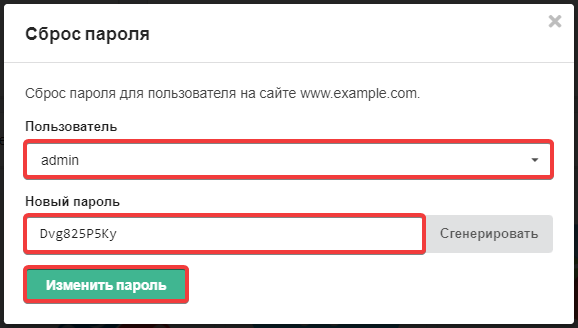
- Select the user, specify the new password, and click "Change password":
- In the configuration file of the site, check the name of the database to which it is connected.
- Open database in phpMyAdmin.
- Execute the following SQL query (replace
new_password,jos_,adminwith your own data):UPDATE `jos_users` SET `password` = MD5('new_password') WHERE `username` = 'admin'; - Check the login to the admin panel.
(2)