管理用于广告的 cookie,如广告个性化、再营销和广告效果分析。
3.1.17. Delete domain
Served by us
For domains registered through us, the "Expires" column indicates their expiration date.
Delete from control panel
Attention!
The domain is not deleted from the registry and is not released early for registration.
Open the "Domains" section, click "Delete" in the domain menu, and confirm the operation: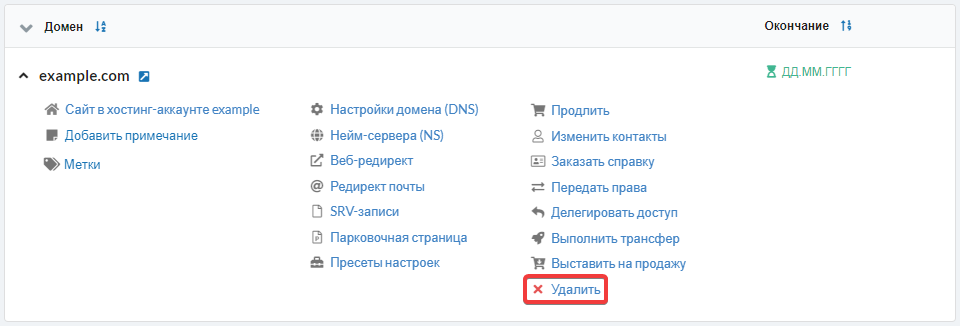
After deletion:
- The domain is set to hold status.
- The domain becomes gray and is moved down the list of domains.
- The domain ceases to appear in the list of services when creating an invoice for payment.
- Notifications stop being sent for the domain.
A removed domain can be restored using the "Restore" button in the domain menu.
It is also possible to cancel domain. In this case, the domain will continue to function until the end of the paid period, but the system will no longer send reminders about the need for its payment.
Delete from registry
During the first 3 days, it is possible to cancel the registration of certain domains where an error was made in the name.
Important points:
- The domain is not released immediately — deletion implies an early transfer of the domain to the redemptionPeriod (in zones where it is provided). Therefore, you will need to wait until this period concludes and the domain is permanently removed from the registry.
- According to clause 1.8 of the public offer, funds are not refunded upon domain deletion.
To remove a domain from the registry ahead of schedule, making it available for registration to anyone, please contact technical support.
Served by another registrar
For domains that are served by another operator, the column "Expires" indicates "Not registered with us".
Important points:
- All DNS records of the domain will be permanently deleted. If they are important, save them to a file before deletion.
- When the domain is added again, the records will be set to default.
Open the "Domains" section, click "Delete" in the domain menu, and confirm the operation: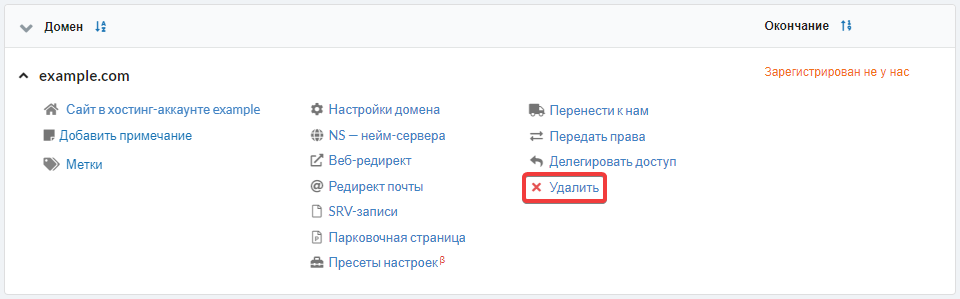
(1)