管理用于广告的 cookie,如广告个性化、再营销和广告效果分析。
8.1.2. Order cloud service
Important points:
- Your balance must be sufficient to cover at least one day of service usage.
- If you don't have enough funds, the system will automatically create an invoice for a balance recharge for the minimum amount and suggest you pay it.
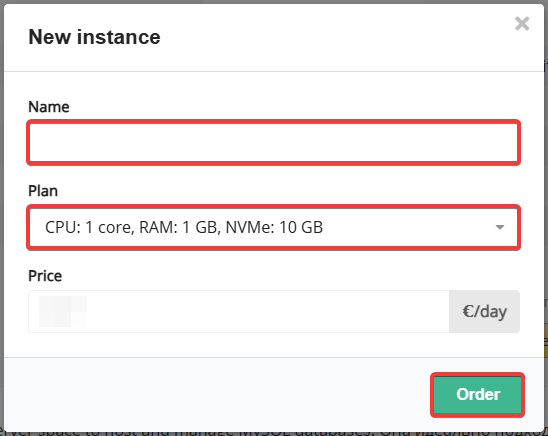
- The instance name can only be selected at the time of ordering and cannot be changed later.
- For PostgreSQL, this also applies for selecting a major version.
- After ordering, the selected plan can be changed in either direction.
- A single account can have any number of separate instances.
- The order button is also available in the control panel under the section for the corresponding service type.
flowchart LR
order@{ shape: stadium, label: "☁️ Order service" }
balance@{ shape: rect, label: "💰 Recharge balance" }
plan@{ shape: rect, label: "🔀 Select plan" }
form@{ shape: rect, label: "📝 Order form" }
done@{ shape: stadium, label: "✔️ Done" }
order-->balance
order-.->|Funds are already on balance|plan
balance-->plan
plan-->form
form--->|Balance has
sufficient funds|done form-.->|Balance has
insufficient funds|balance
sufficient funds|done form-.->|Balance has
insufficient funds|balance
- Recharge your balance (if there are insufficient funds).
- Open the order page for the cloud service you want ("MySQL", "PostgreSQL", "ClickHouse", "Redis", "RabbitMQ", "Manticore Search", "OpenSearch").
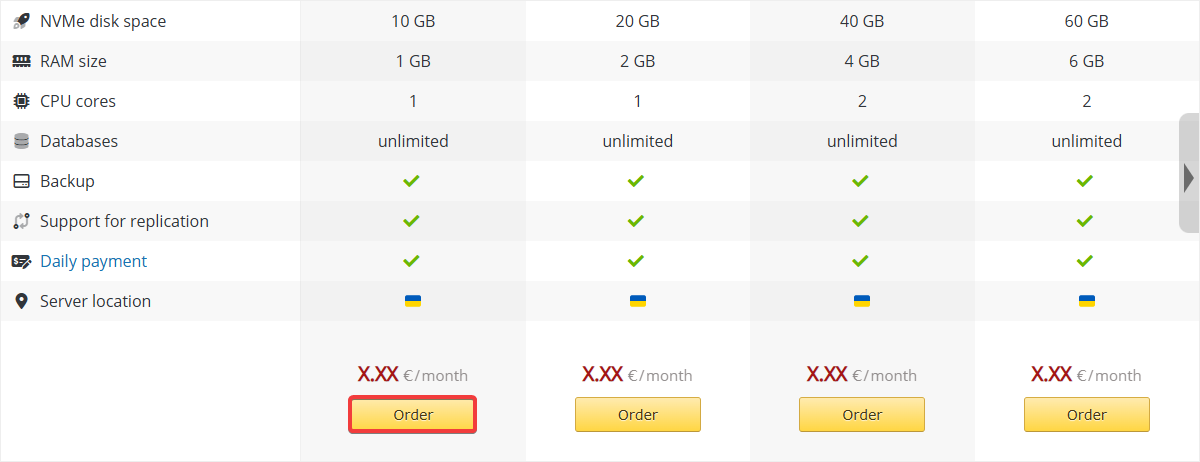
- Under the desired plan, click "Order":
- Specify the instance name, select a plan, and click "Order":